FermaStat SMS Alerts Consent Process
FermaStat sends optional SMS alerts for brewery fermentation monitoring and equipment status. SMS alerts are not enabled by default. Users must verify their phone number and explicitly enable SMS alerts before receiving operational text messages.
How Users Opt In
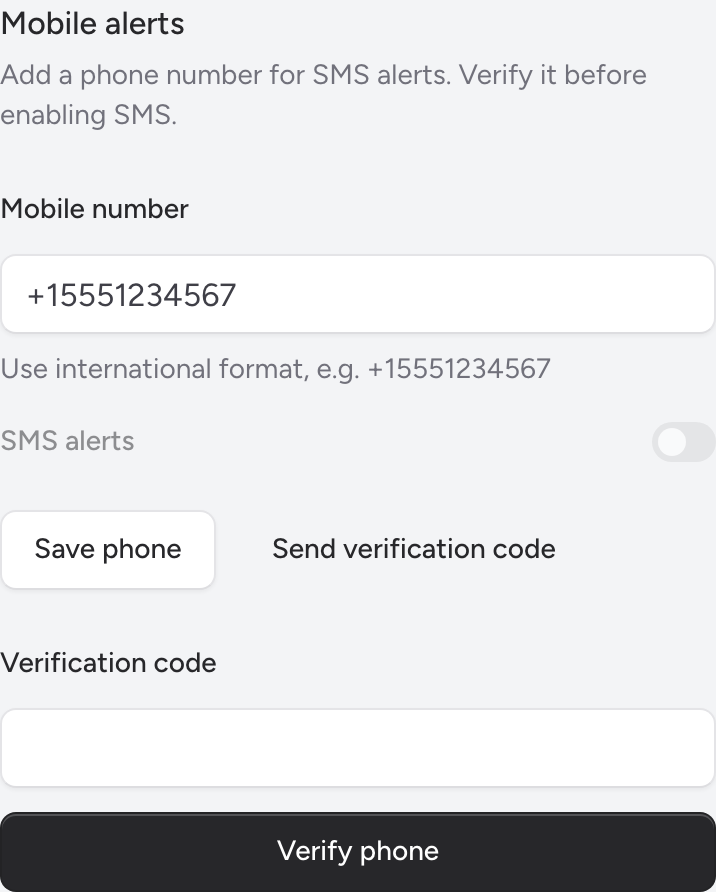
- The user creates or logs into their FermaStat account.
- The user opens Settings > Profile.
- The user enters their mobile phone number in international format.
- The user clicks “Save phone.”
- The user clicks “Send verification code.”
- FermaStat sends a one-time SMS verification code.
- The user enters the verification code in FermaStat to verify ownership of the phone number.
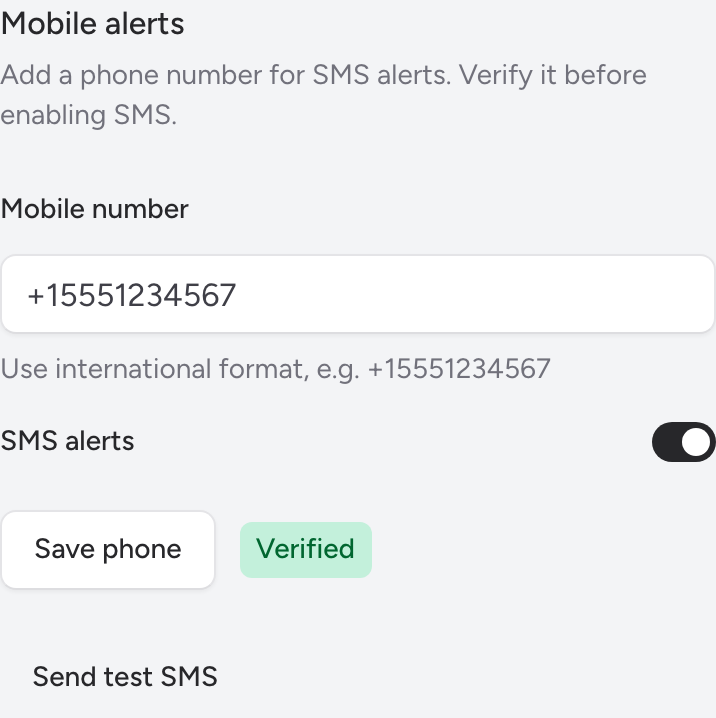
- After verification, the user explicitly enables the “SMS alerts” toggle.
- SMS alerts are off by default until the user enables this toggle.
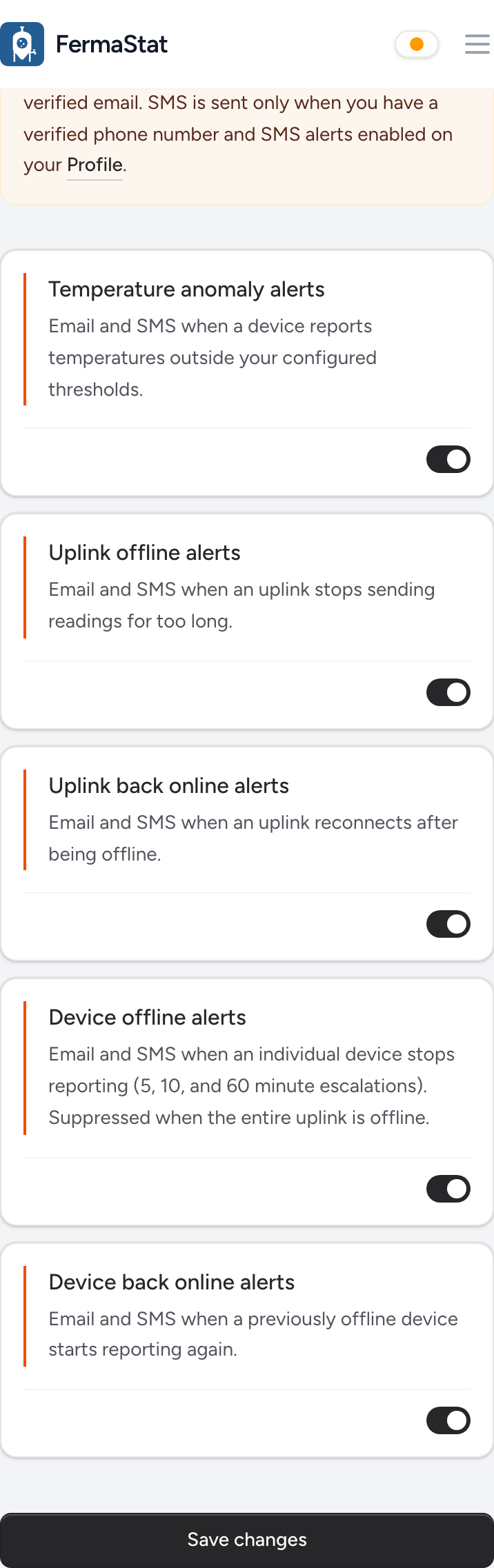
- The user opens Settings > Notifications and chooses which operational alert types they want to receive.
- The user can disable SMS alerts or remove their phone number at any time in Settings > Profile.
- FermaStat does not send marketing or promotional SMS messages.
What Messages Users May Receive
FermaStat SMS messages are limited to operational alerts related to brewery fermentation monitoring hardware, device connectivity, equipment status, offline/online alerts, and account verification.
Message frequency varies based on user-selected notification settings and equipment events. Message and data rates may apply.
Users may reply STOP to unsubscribe or HELP for help.
Example SMS Messages
-
FermaStat: Test alert — SMS is working. Reply STOP to unsubscribe or HELP for help.
-
FermaStat: Your verification code is 123456. It expires in 10 minutes. Reply STOP to unsubscribe or HELP for help.
-
FermaStat Alert: Uplink "Production Relay" for Pilot Brewery has been offline for over 30 minutes. Reply STOP to unsubscribe or HELP for help.
-
FermaStat Critical: Device "FV-1" for Pilot Brewery has been offline for over 60 minutes. Reply STOP to unsubscribe or HELP for help.
-
FermaStat: Device "FV-1" for Pilot Brewery is back online. Reply STOP to unsubscribe or HELP for help.
Screenshots of the Opt-In Flow
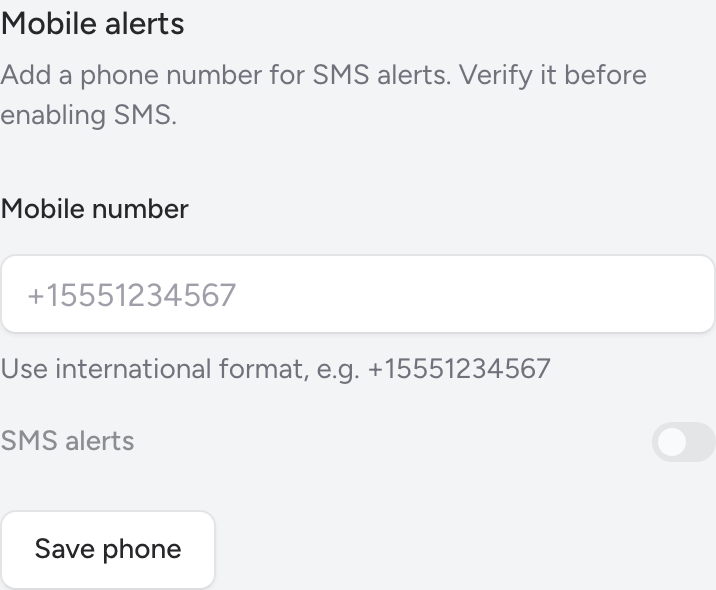
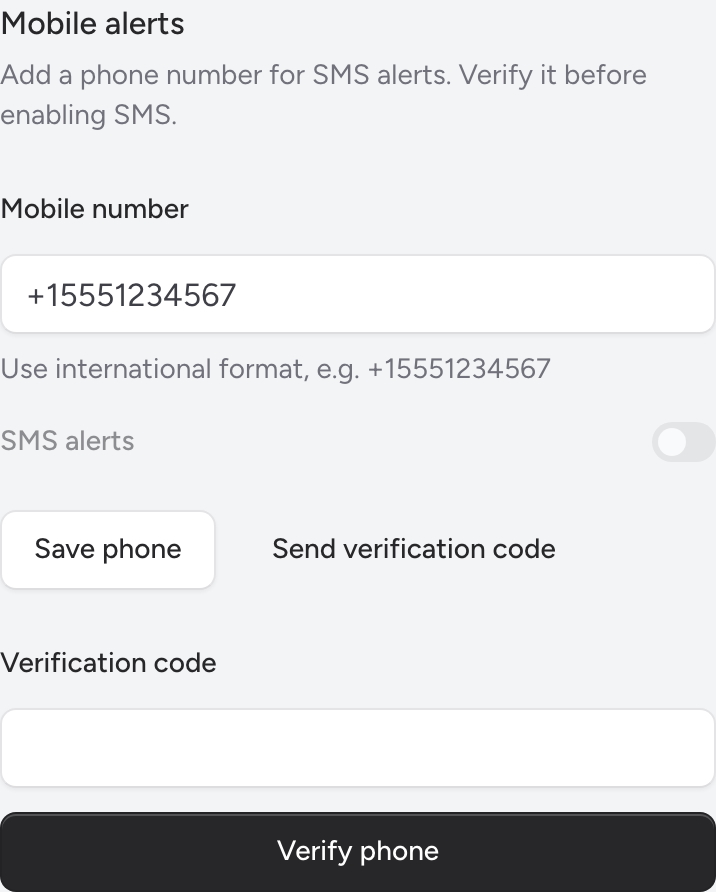
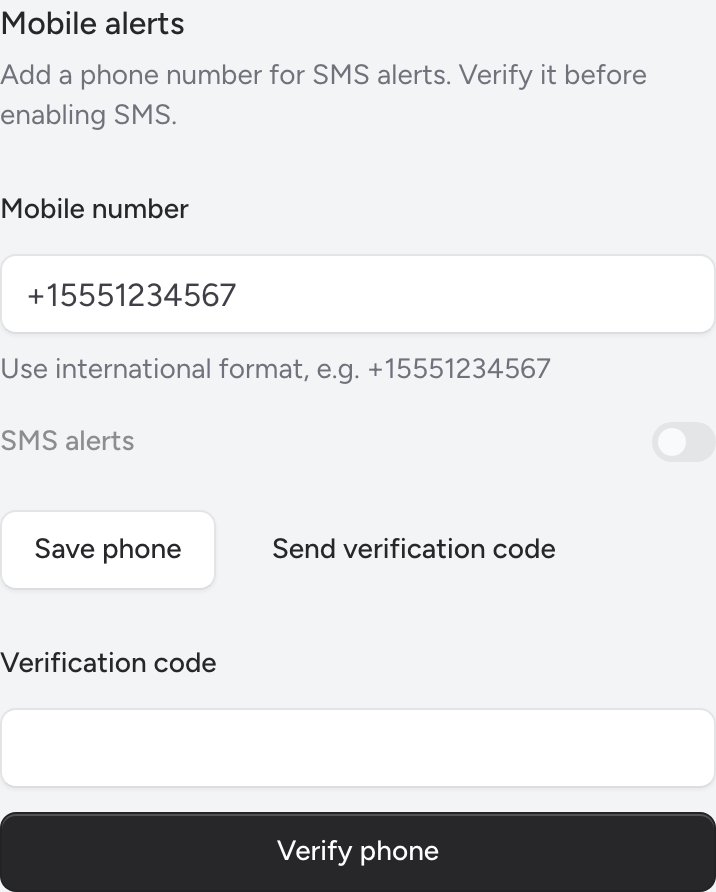
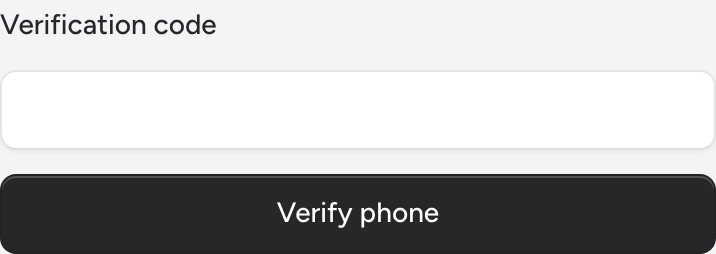
Opt-Out and User Control
Users can opt out of SMS messages at any time by replying STOP. Users may also disable SMS alerts or remove their mobile phone number from Settings > Profile. Users can adjust which operational alerts they receive in Settings > Notifications.